Showing posts with label Kahoot. Show all posts

Thursday, January 3, 2019

The Most Awesome Linear Regression Project Your Class Will Love

  Does your class love Kahoot as much as my class does?  Because they REALLY love Kahoot.  During our unit on linear equations, I decided to have my class use linear regression to try to figure out the Kahoot algorithm for assigning points as our final project.

Kahoot games make a fun linear regression project

    As our discussions of Kahoot scoring began, it was clear to everyone that the two variables that impact your score are time to answer and answer streaks.  Trying to figure out how both of these variables affected your score was the foundation of our project. 

       The first thing we had to do was find a way to collect data about these variables.  My teacher's brain went into overdrive trying to figure out exactly how we could collect the data so that my students would have data to analyze.  However, rather than just organizing the data collection myself, we started the project by having a class discussion about how to collect meaningful data relating how time impacts your score in Kahoot.  I felt like having students think through the process of how to collect meaningful, useful data was very important.  I was so excited that the plan the kids came up with was basically the same thing I had planned to do. 

Picture of chalkboard with plans to collect data for algebra project.

       Here was the plan:  Each student would be assigned a specific time at which they were supposed to answer.   Students would answer at the specified time and record how many points they received on that particular question (rather than their overall score).  The class decided that after each correct answer, you had to miss the next question so that no one had an answer streak that would impact their score.   We played through the Kahoot a few times with different time limits on the questions.  Throughout the data collection process, we used the same Kahoot.  It was a 10 question Kahoot in which every question was 1 + 1, and the right answer was always in the same place. 

        Next, we collected data about answer streaks.   This time, the entire class answered at the same time but each student had a different amount of questions they were supposed to get correct.  Once I had collected all of the time and answer streak data, I transferred it over to Google Sheets so that I could easily share it with students.  Now we were ready to get to work on our linear regression project.

       The project had several parts for students to complete: 

  • Data table and graph with at least 8 points relating time and score 
  • Linear regression equation relating time and score.  Students had to explain the m and b value within the context of a Kahoot game, as well as explain what the r value meant
  • Data table and graph with at least 6 points relating answer streak and score
  • Linear regression equation relating streak and score.  Students again had to explain the m and b values within the context of a Kahoot game and explain the r value.  In addition, students had to explain any limits to the domain (because the streak bonus eventually maxes out)
  • A predicted score on a fake Kahoot game compared to the actual score--This was my favorite part of the project.  Students had to use their equations to predict their score on an 8 question Kahoot.  They had to specify when they would answer and if they would get it right or wrong.  Then we actually played the Kahoot so they could see how well the equations worked.  It was a lot of fun to hear, "My prediction was only 5 points off!" and the rest of their excitement!
  • A letter explaining what the student liked about the Kahoot scoring algorithm or a suggestion to change it for the better
Samples equations and graphs for the Algebra Linear Regression Project.


       Overall, I really liked this project much better than using fake linear regression data from our textbook.  If I had to do it over again, I would probably only focus the project on the time aspect and not worry about answer streaks.  Having two sets of data definitely complicated things.  Overall, this was a fun project for my linear equations unit.

Graphs and Kahoots combine in this free algebra project.


       If you'd like a copy of this project, click here to join my email list and you'll get access to this project.

Saturday, October 28, 2017

4 Ways to Give Feedback to your Class

      There is so much research that supports the effectiveness of giving feedback to improving student performance.  In order to be effective, feedback needs to be both specific and timely.  That makes perfect sense, but that can also be a real challenge.   Here are a few ways that I like to give feedback to my class.

1.  Games--Games are such a great way to get students engaged, but also a great way to give feedback, especially when answers are wrong.  There are so many fun games to play.  One simple game I played last week I called, "Get 5".  I  decided to do this in the middle of class when my planned lesson was NOT going as planned.  Anyway, it was pretty simple.  I challenged my class to get 5 questions in a a row correct. I put a problem on the board and gave everyone a chance to work with their partners to answer the question.  Then I rolled a 30-sided die to randomly call on a student to give me the answer as well as how they got it.  If the class could get 5 in a row correct, I gave them a stamp for our school-wide PBIS program.  It worked great....lots of conversations, and students knew that everyone at their table needed to understand.  Kids were giving each other feedback, and I could give feedback based on conversations I heard or answers given.

2.  Partner activities--I love to do self-checking partner activities, and it allows students to give each other feedback.  Since students are checking each other's work, it frees me up to listen to student conversations and intervene as needed (or to have small group instruction).  They are fairly easy to create....the idea is that you assign each student to either be partner A or partner B.  Each student has a different set of problems.  I usually like to have about 6-8 problems, depending on what the topic is.  The key is that although the students have different problems, the answers are the same.  For example, student A might have the problem -13 + 8 and student B might have the problem -4 + -1.  Each student gets practice, and students know if they don't get the same answer that they need to check over their work.  I like to take my partner activities to the next level by creating a "second part" for each activity.  So after the partners have completed the problems and agree on the answers, then they have to use their answers together to complete another task.  For example, I might have the students from above show each of their problems on a number line, or create a story problem to represent each problem.  This is a great way to handle students working at a different pace, or just to extend the learning opportunities for the partner activity.  I have several sets of partner activities available in my store if you're interested.
3.  Dry erase---This is certainly nothing new, but having kids work problems on dry erase boards is certainly a quick, easy way to gather information about my class thinking.  It's easy to address common misconceptions using a simple feedback tool.  To do this, I'll think about the common errors that I know may happen, and I create a comment with a symbol for each, to guide students toward their error.  For example, if I was teaching adding integers, I might put the following information on the board.

Then with each problem, I could call out different answers, and tell them which feedback was appropriate for each answer.


4.  Use technology to give feedback--Technology truly can help us understand what everyone in our class is thinking, and give productive feedback to them.  One technology tool that I love (and so do my kids!) is Kahoot.  Kahoot keeps my students engaged, and I get all kinds of information about how many in my class understand.  Additionally, if you plan the incorrect answers carefully, you can sometimes customize your feedback to students, such as "If you picked green, you might have forgotten to line up your decimals.  If you picked red, you may have forgotten to carry."

          Another tool that I love to use to give feedback to my students is the website quia. I LOVE using this to give short, formative assessments to my students.  My absolute favorite thing about quia is that you can customize the feedback that students get for correct or incorrect answers.  In addition, you can change the settings so that students get feedback after each answer, instead of having to wait until the end.  I love this feature!  I know in Google Forms, you can give students feedback, but I don't think they get the feedback until they are done.  I much prefer to have them get the feedback as they work, so they can be learning as they go.  Quia does have a subscription cost of $49 per year, but for me it's worth every penny.


Friday, January 27, 2017

Kahoot or Quizlet Live or Quizizz

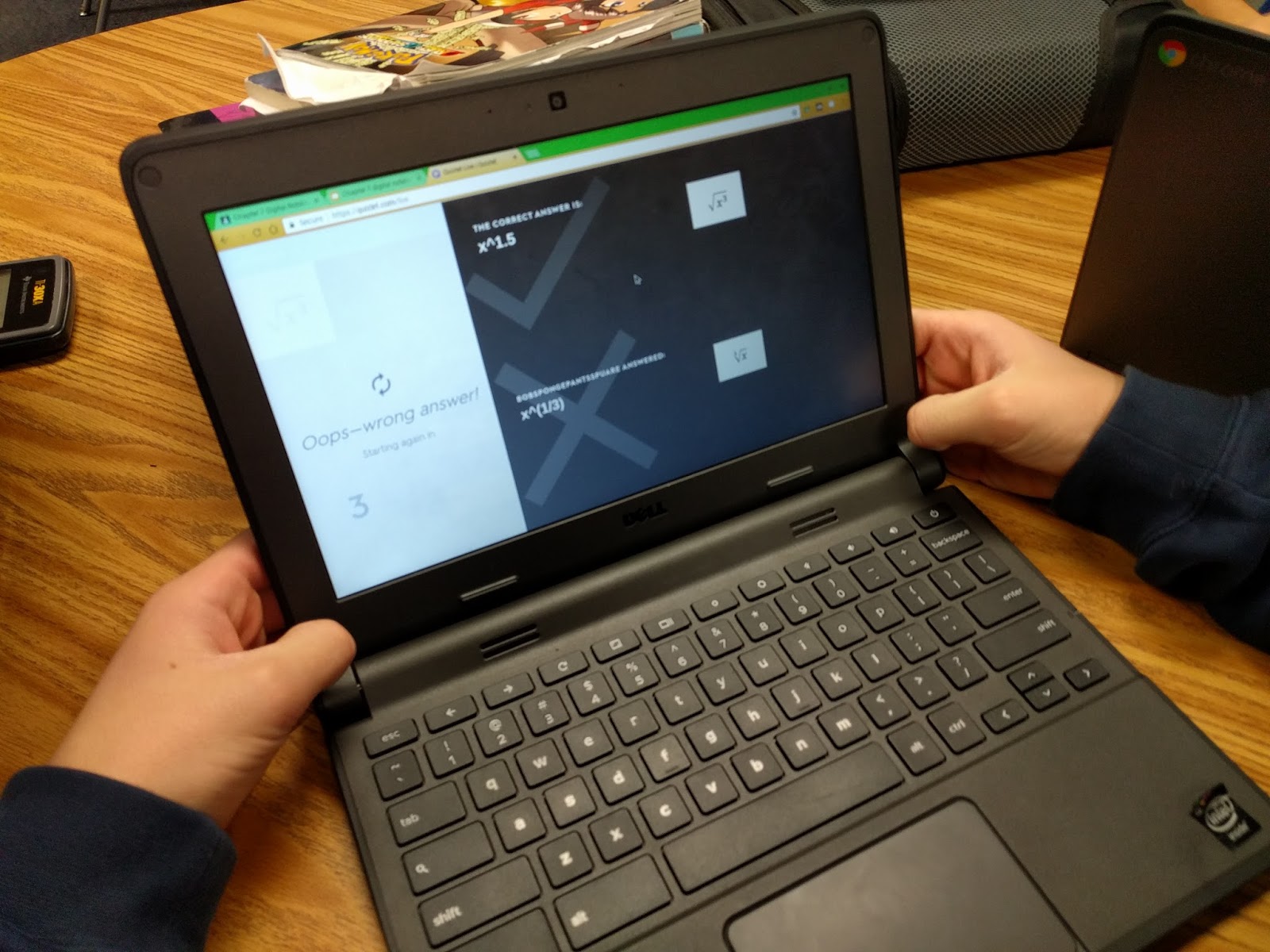
I'm a big fan of Kahoot.  I love the instant feedback that I get.  Plus, let's be honest...the kids love it!  Recently, I've found two other things that are along the same lines as Kahoot, but each with their own advantages and disadvantages.  Below, I'll outline what I liked and didn't like about three online class games:  Kahoot, Quizizz and Quizlet Live.

Kahoot
Like I said, I love Kahoot.  I think it's a great teaching tool with formative assessment built in to what you're doing.  When we play Kahoot in my classroom, I have 3 rules:  1.  I have to be able to identify you from your nickname.  2.  Move to a place where you can see.  3.  It needs to be quiet between questions so I can talk.
Kahoot-classroom-technology


Advantages
I think the best thing about Kahoot is that the whole class is answering every question at the same time, so you can teach in between each question as needed.  You can give kids real time feedback about their answers, and often specific feedback about what mistake they made based on the wrong answers they chose.  There is really nothing like this, especially if you'e got multiple questions of the same type in a row.  As a teacher, you find out right away what is going wrong, and get to see if your explanation leads to improved results.
Student engagement is another great advantage.  The kids love it and stay involved....can't beat that!

Disadvantages
There are a few things that I don't love about Kahoot.  One is the general noise level.  My class gets LOUD when we play Kahoot.  Granted, it's because the kids are having fun, but still....that can get exhausting.  But really the main disadvantage to Kahoot for me is time.  My kids are always in a rush on a Kahoot to get the answer quickly so they can get more points.   Kahoots are also difficult to do with problems that take much time to solve, as it's a game of speed.

Quizizz
I just found out about Quizizz recently, and I've only had the chance to use it once.  In some ways, it is very similar to Kahoot.  You design a series of multiple choice questions for students to work through.  However, unlike a Kahoot, where the whole class is playing each question at the same time, on a Quizizz students are self-paced.
Kahoot-classroom-technology


Advantages
One cool thing I found about Quizizz is there is really easy ways to pull questions from different existing quizzes and merge them into one.  I'm usually really picky about my questions, so I loved this feature!  Noise level was another advantage.  Kids are basically working on the questions by themselves, and as soon as they finish, the next question comes up.....so less down time for things to get loud.  My students also liked not feeling rushed, and being able to work at their own pace.  The kids also loved the fact that it shows you a meme after each question.
Quizizz-classroom-technology   Quizizz-classroom-technology


Disadvantages
The biggest disadvantage is missing out on the teaching time between questions, since not everyone is on the same  question at the same time.  My original Quizizz was 16 questions long, but that seemed way too long when I wasn't getting to give feedback between questions.  I think if I were to use this again, I would make several small Quizizz games (2-4 questions each, probably) so then I could teach in between games as we reviewed the questions.

Quizlet Live
Quizlet Live has students working collaboratively on a set of questions, trying to match the answers. The way I understand it, each kid on the team gets the same question, and they all have several options to pick from....but only one of them has the right answer.  So they have to work as a group, seeing between their whole team who has the correct answers.  If they miss a question, they have to go all the way back to 0.  It is a race to see which team finishes first.
Quizlet-classroom-technology  Quizlet-classroom-technology


Advantages
The biggest advantage is that my kids absolultely LOVE this....maybe even more than Kahoot.  I also love that it adds the collaboration piece.  It also really makes them think, not even knowing if any of the answers are correct.  I like hearing the conversations my students have as they tell each other how they know that none of their answers are correct.  Great conversations!
Quizlet-classroom-technology

Disadvantages
This is a little embarrassing to admit, but one of my colleagues actually came and closed my door because my class was loud playing this.  But I'm also kind of ok with that because they were learning and having so much fun too.   The main disadvantage that I can think of is that to do quizlet live, you start out with a set of digital flashcards, and then it mixes the answers up.  I suppose there might be some content that is hard to figure out how to make it work on a flashcard.
Quizlet-classroom-technology


Sunday, August 28, 2016

Whole Class Participation Techniques

         As this school year begins, I've been excited about how my classes have been taking shape so far.  The kids are great, and the classroom is starting to feel like community.  We're all starting to get to know each other a bit, and the kids are starting to understand my expectations.
          I read a book over the summer about total participation techniques.  I was really excited about this idea of getting every kid to answer questions, rather than just one kid.  So as I started planning for building my classroom climate, this was one of my major considerations.  I really wanted to utilize technology in a way to increase whole class participation whenever possible.  These have been the things that I've been really pleased with in the first two weeks when it comes to increasing class participation.


1. Go Formative--I was introduced to GoFormative as one of the sessions at Space Camp this summer and thought it had potential.  I tried it last week and loved it!  I have used online quizzes on Google forms or quia, but what is different about Go Formative is that you are seeing data real-time (not just when kids finish).  And not only can you see it real-time, you can send kids individual feedback, and they can make corrections based on the feedback you sent them.  So here was a sample question:

save image
The answer I was wanting was that students disagreed, because the numbers were not in order.    
Here is an example interaction between one student and myself.

The student's initial response (which you can't see because he fixed it) was "agree", so I sent him the first message about "What do you do first?"  This helped him realize the numbers weren't ordered, and he then changed his answer simple to "disagree".  However, I also wanted students to justify their answer, so I sent the second message about "Why do you disagree?", leading to his final response.
            I was impressed with how powerful these interactions were, and look forward to using this tool more in my classroom!

2.  Desmos--I have written before about being a big fan of Desmos, but this week as I used it as a way to encourage whole class participation and formative assessment.  We were doing one of my favorite lessons, one about students who are going into business together.  My class has to analyze the business plans in terms of how much money each partner initially has, and how much they save each week.  It's a great activity to teach distributive property, combining like terms,  and the appearance of linear functions with positive/negative slope.  I have always loved this lesson, but Desmos added something to it.  We did most of the lesson on paper, and then I used just a few Desmos questions for real-time formative assessment.
save image
I love being able to see everyone's response to a question on one screen.  I also like being able to quickly show several different strategies for determining whose graph it was, while highlighting student work.  It was fantastic!

3.  Response Cards--This was my low-tech whole class participation technique...but still effective.  We were having a debate about a question I had on the board, so I had students take out the "agree, disgree, or not sure" cards. I was able to get a quick feel for the mood of the class, as well as who might present arguments for each side to further our discussion.  Quick, easy method for formative assessment!  (You can get these response cards free at my Teachers Pay Teacher store, by the way)

4.  Google Questions on classroom--I really enjoyed using the question function on Google Classroom.  I played a video which showed a visual representation of mean, and then asked students to respond as a Google Question whether they thought the video represented mean, median or mode.  Again, quick, easy formative assessment.  Some classes got it right away, and that was great.  Other classes were split down the middle at first, but after viewing the responses in the question, every class quickly concluded that is was mean

The whole interaction probably only took 10 minutes, and it was extremely effective!

5.  Kahoot--This is certainly not a new one to me, as I used Kahoot frequently last year as well.  This year, I'm trying to refine a few things about Kahoot.  A couple of things I'm planning to incorporate in my Kahoots this year are spiraling review and trivia. I want to add just a couple of spiral review questions to every Kahoot, just to keep skills sharp.  And the trivia is just for fun...the kids love knowing that every now and then I'll throw in something random just for fun!
       I also love to use Kahoot to teach error analysis, and trying to get the kids to figure out what error had to be made to get the incorrect answers.